



Coach Platforms
All rankings

Best client experience

Which coaching platform is best for clients?

7 min read1,568 wordsChecked 22 September 2026

Coaches evaluate software from the inside. The client experiences something entirely different, and it is usually worse than the coach realises because nobody ever tells them.

Map a typical engagement from the client’s side and the seams are obvious: a booking link, a confirmation email, a separate video link, a payment page, worksheets as attachments, messages in whichever channel the coach prefers.

The criterion here is one place. Not one product for the coach — one place for the client to find sessions, progress, payments and messages.

The short answer

Ranked by whether the client has one place to find sessions, progress, payments and messages, Coachful is first from $29 a month and we make it, with HubFit and Mighty Networks strong within their niches. Most coaching clients experience four products and a coach who keeps sending links.

Best client experience
Photo by Daniil Komov on Pexels

Ranked by

One place for the client to find sessions, progress, payments and messages

Every extra login is a place the relationship leaks.

Coachful logoCP 01-001CoachfulCoaching platformfrom $29/mo

Number one

Coachful

coaching platform · from $29/mo

Sessions, programme, habits, documents and payments behind one client login.

Coachful client workspace, captured 22–23 September 2026
Coachful client workspace · captured 22–23 September 2026

The full ranking

Pricing verified May 2026

Two through 6

HuCP 01-022HubFitFitness coaching toolVariesMighty Networks logoCP 06-023Mighty NetworksCommunity platform$95–215/mo + 1–2% of salesCoCP 02-024CoachAccountableCoaching admin tool$20–100/mo (by client count)PrCP 02-035PracticeCoaching admin tool (shut down)Shut down (was $5–99/mo)Kajabi logoCP 03-016KajabiCourse & marketing platform$179–499/mo ($143–399 annual)

2. HubFit

HuHubFithubfit.app did not respond to an automated request. The product may still be live; we will not publish a capture we could not take.
HubFit · no capture

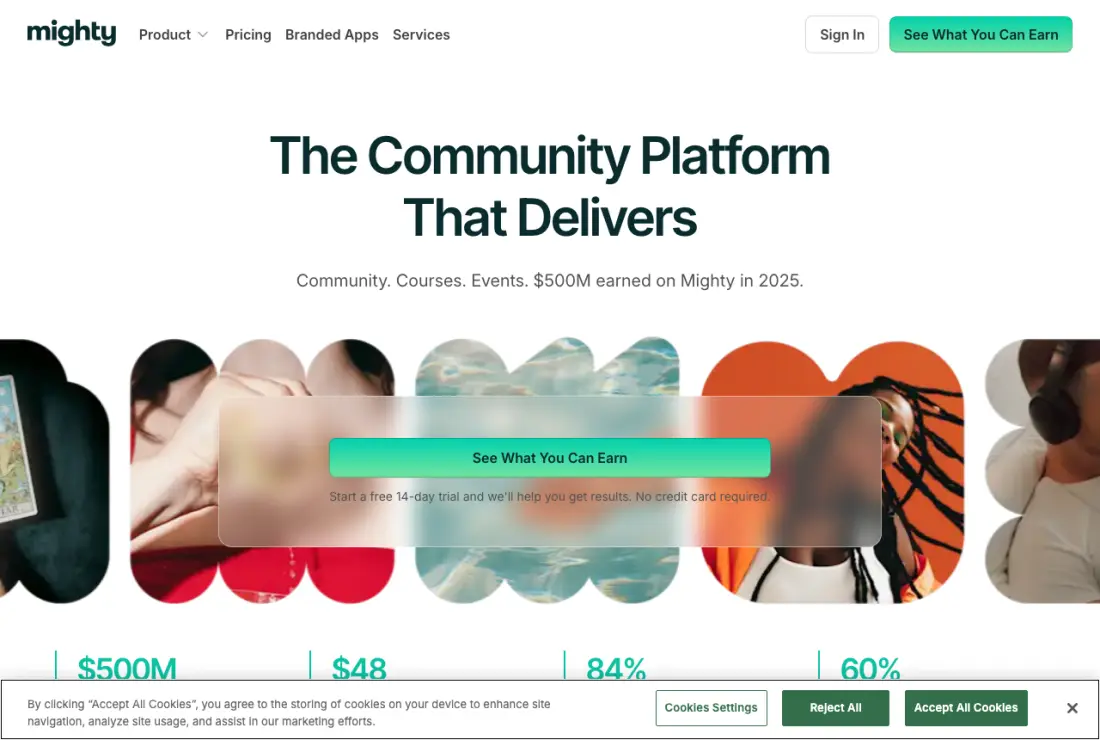
3. Mighty Networks

Mighty Networks home page, captured 22–23 September 2026
Mighty Networks home page · captured 22–23 September 2026

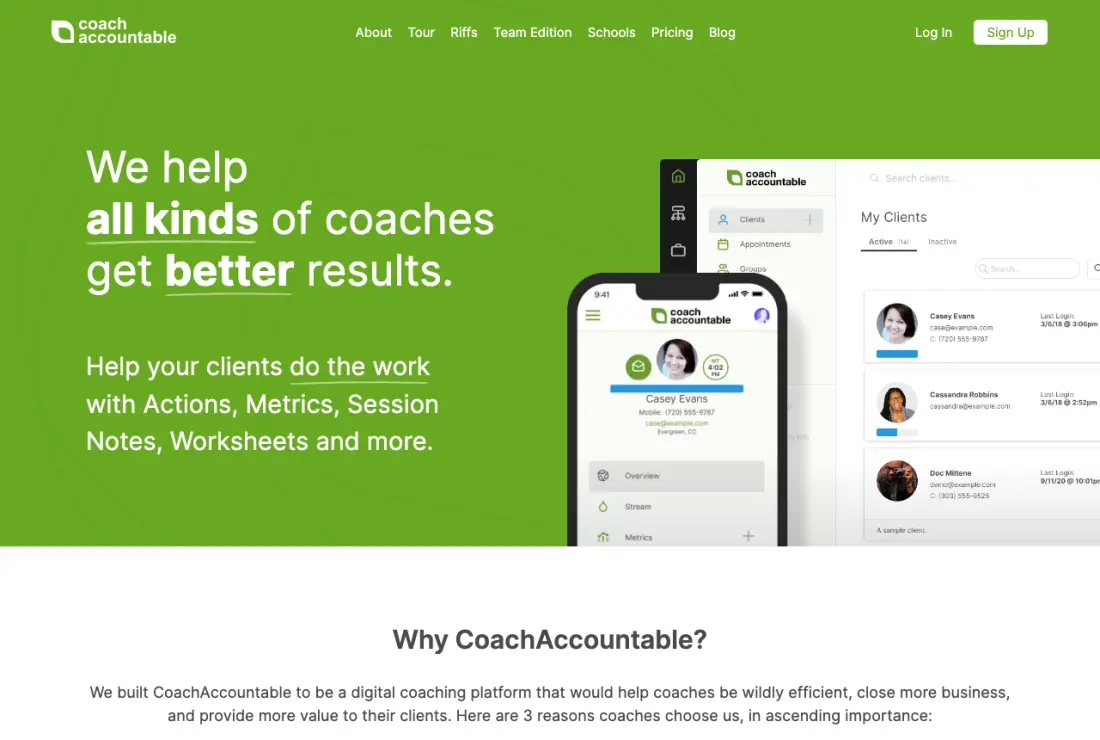
4. CoachAccountable

CoachAccountable home page, captured 22–23 September 2026
CoachAccountable home page · captured 22–23 September 2026

Every tool, in detail

1

Coachful

Coachful gives the client one place carrying their sessions, programme progress, documents, messages and payment history.

The criterion is about what the client can answer without emailing you, and each of the four common questions has a visible answer rather than requiring a reply.
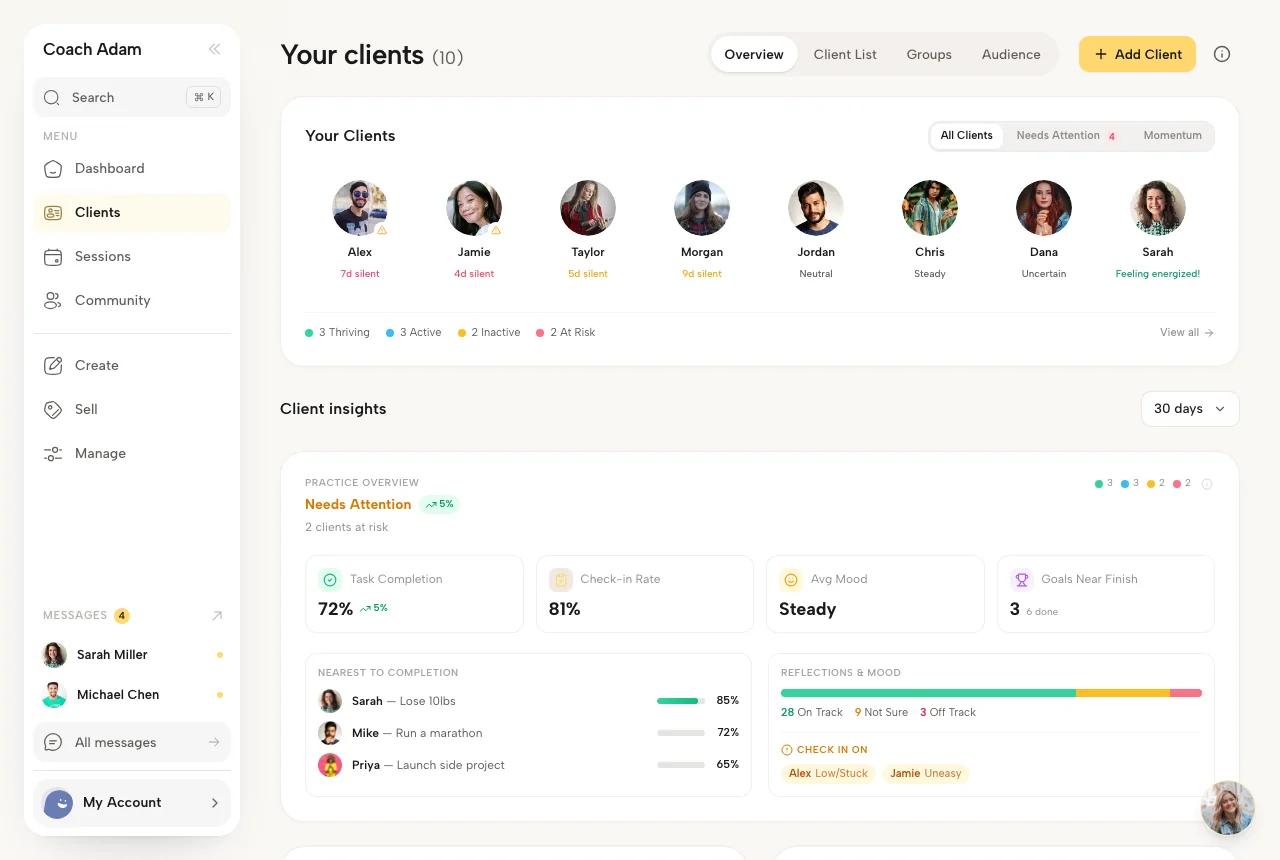
Coachful client workspace, captured 22–23 September 2026
Coachful client workspace · captured 22–23 September 2026

Best for

Coaches running multi-session engagements where the client needs to find things themselves.

Where it falls down

For a one-session engagement, a portal is more setup than the relationship needs.
2

HubFit

HubFit gives training clients an excellent daily experience, because the thing they open is the session they are about to do.

Payments are partial and the surrounding business surface is thinner, so parts of the relationship sit elsewhere.

HuHubFithubfit.app did not respond to an automated request. The product may still be live; we will not publish a capture we could not take.
HubFit · no capture

Best for

Training clients who open something before every session.

Where it falls down

Partial payments and a narrower business surface.

3

Mighty Networks

Mighty Networks gives a community member a genuinely good experience, with a branded app and real activity to return to.

It has no scheduling, so the most common client question — when is my next session — is answered somewhere else entirely.

Mighty Networks home page, captured 22–23 September 2026
Mighty Networks home page · captured 22–23 September 2026

Best for

Members of a community-led programme rather than one-to-one clients.

Where it falls down

No scheduling, so session times live outside the experience.

4

CoachAccountable

CoachAccountable gives clients a complete and functional view: sessions, actions, metrics, worksheets and payment history in one place.

The interface shows its age, which in consumer niches is part of how a practice is judged, and there is no public website alongside it.

CoachAccountable home page, captured 22–23 September 2026
CoachAccountable home page · captured 22–23 September 2026

Best for

Clients whose engagement is mostly structured between-session work.

Where it falls down

A dated interface, and no public website.

5

Practice

Practice is built around the client-facing experience and covers sessions, messaging and payments in one place, which is the shape this criterion rewards.

Progress tracking is partial, so what the client can see about their own development is thinner than the top of this list.

PrPracticepractice.do returned a 404 when captured on 23 September 2026. Treat this product as unavailable until it says otherwise.
Practice · no capture

Best for

Coaches who want a clean client-facing surface above all else.

Where it falls down

Partial progress tracking.

6

Kajabi

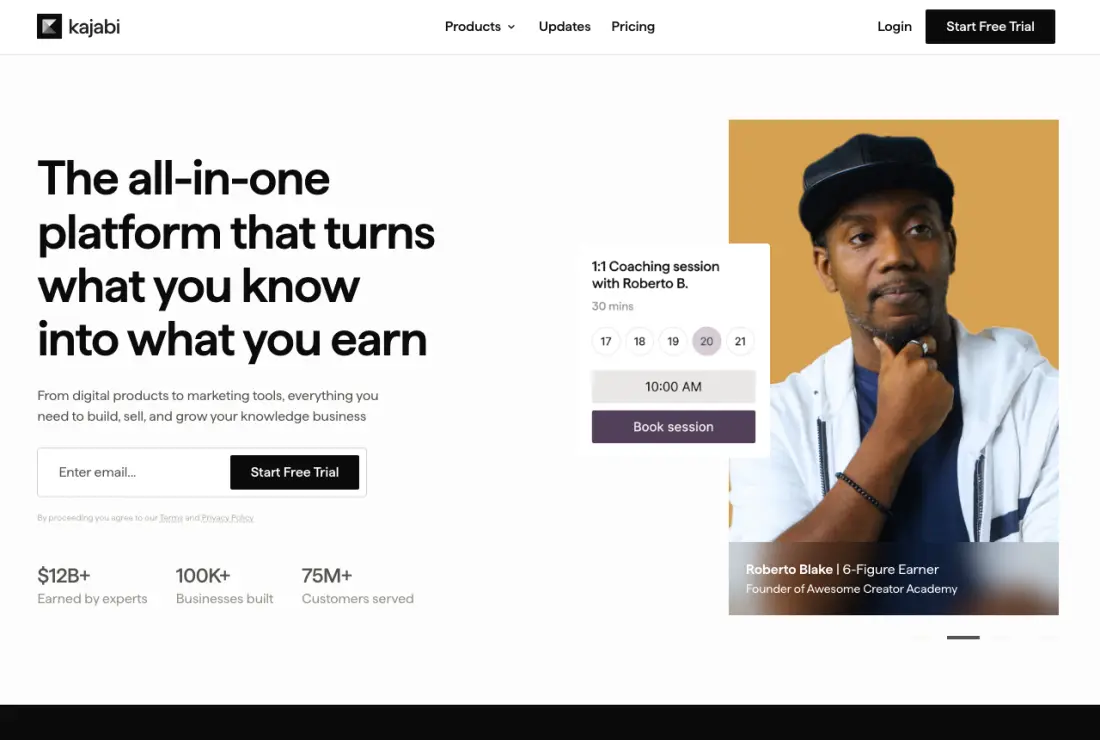
Kajabi gives a content buyer a polished experience: a clean portal, well-presented material and a good checkout.

There is no scheduling, so the most common client question — when is my next session — is answered somewhere else, and messaging is limited.

Kajabi home page, captured 22–23 September 2026
Kajabi home page · captured 22–23 September 2026

Best for

Content buyers rather than coaching clients.

Where it falls down

No scheduling and limited messaging.

The four questions a client asks and cannot answer

When is my next session? In a calendar invite, if they kept it, or in an email from six weeks ago.

Where is that document? An attachment in a thread, probably on the desktop they are not currently using.

How many sessions do I have left? Nowhere. Frequently the coach does not know either without counting.

What did we agree I would do? In their notes, if they took any, or in the coach’s.

None of those is a crisis and all four are small frictions that accumulate into a relationship that feels administrative. Clients rarely complain about it; they just disengage slightly earlier than they would have.

What the client can find in one place

ProductPriceSessionsProgressPaymentsMessages
Coachfuloursfrom $29YesYesYesYes
HubFit$29YesYesPartialYes
Mighty Networks$41NoPartialYesYes
CoachAccountable$20–$100YesYesYesYes
PracticeVariesYesPartialYesYes
Kajabi$179NoCourse onlyYesLimited

Comparison registry, verified May 2026. The test applied is whether a client could answer the question without emailing the coach.

A coaching client reviewing their programme
Photo by Daniil Komov on Pexels
Clients rarely complain about a fragmented experience. They disengage slightly earlier than they would have.

What clients do instead of complaining

They ask you. Every "where was that document" and "when are we next on" is a small tax on the relationship that appears in your inbox rather than in any feedback.

Then they stop asking. A client who has had to email twice about admin stops raising small things, which means they also stop raising the coaching things that are small until they are not.

Then they do not renew, and the reason given is something else entirely — timing, budget, a change of focus. Friction almost never appears in an exit conversation, which is why it is underweighted so consistently.

Two versions of the same engagement

Fragmented

  • Session times in a calendar invite from six weeks ago
  • Documents as attachments in a thread
  • Payments as invoices in a different inbox folder
  • Messages wherever the coach prefers this month
  • Sessions remaining: nobody knows without counting

One place

  • Next session visible on opening
  • Every document in their own space
  • Payment history and what is outstanding
  • One message thread with the coach
  • Sessions remaining shown without asking

Auditing your own client experience in twenty minutes

  1. Book yourself as a client, from your public page

    All the way through, including the confirmation email and the calendar entry. Read them as somebody who has never met you.

  2. Pay yourself with a real card, then refund it

    The receipt, the wording, whether it looks like paying a business. Almost nobody does this and it is where the sharpest surprises are.

  3. Open whatever the client sees afterwards

    Is there anything there? Can they find their next session, a document, what they paid, how many sessions remain?

  4. Ask a current client three questions

    Where would you look for your next session, your last document, and how many sessions you have left. Any "I would ask you" is the finding.

  5. Count the places they have to go

    A booking link, a video link, an email thread, a payment page. Each one is a handoff, and handoffs are where remote engagements quietly lose people.

Common questions

What is the best client experience in coaching software?

Against one place for sessions, progress, payments and messages, Coachful from $29 a month and we make it. CoachAccountable covers the same ground well and has no public website alongside it.

Does client experience affect retention?

Indirectly and measurably. Clients rarely complain about friction; they disengage slightly earlier. With one-to-one renewals at 35 to 50%, small differences in engagement compound quickly.

How do I find out what my clients actually experience?

Ask one where they would look to find their next session, their last document and how many sessions remain. If the answer is "I would ask you", that is your client experience.

Is a client portal worth the setup?

If your engagements run more than a few sessions, yes. Below that the email thread is short enough to work. The cost appears in month three of a six-month engagement rather than in week one.

Should clients have their own login?

It is what makes the engagement visible between sessions. Without one, the relationship exists in an inbox and a recurring calendar entry, which is what makes remote coaching feel administrative.

Do clients care about the software?

They never mention it and they respond to it. Friction produces small administrative emails, then fewer questions generally, then a non-renewal explained by something else. It almost never appears in an exit conversation.

What should a client be able to see without asking?

Their next session, every document, what they have paid and what is outstanding, how many sessions remain, and where to message you. Those five cover almost every administrative question a coaching client has.

How do I know if my client experience is bad?

Ask a current client where they would look for their next session, their last document and how many sessions remain. If any answer is "I would ask you", that is the experience — and they have not complained because it is not worth complaining about, only worth quietly disengaging from.

The verdict

CoachAccountable covers this criterion well and costs less, and for a coach who does not need the public-facing half it is a genuine alternative.

Coachful wins because the same place also carries the payments and the booking, which are two of the four things clients cannot currently find. The test worth running is the one above: ask a client where they would look, and the answer is your actual client experience rather than the one on your feature list.

How to disagree with this

The criterion is the whole argument. If breadth is not what you need, this order is irrelevant to you and a different list will serve you better. That is why there are several, each ordered by something different.

For a version of the same products with no ordering at all, the alphabetical directory lists every one of them and picks nothing.

Published by Coachful, which makes one of the products ranked here. No affiliate links and no paid placement.

Other rankings